Overview
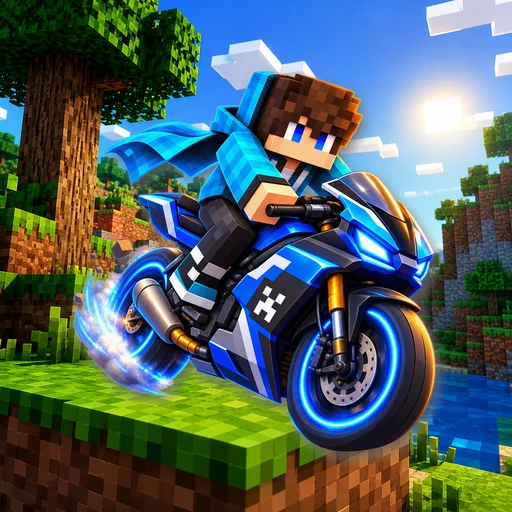
Bike Mods for Minecraft provides a collection of rideable motorcycles, dirt bikes, sport bikes, and quad ATVs for Minecraft Bedrock Edition and MCPE. This application allows you to browse, download, and install working vehicle addons directly into your worlds. Whether you want a fast sport bike for city maps, a rugged dirt bike for mountain trails, or a four-wheel quad for desert biomes, you can find and drive them in your game. BIKE TYPES INCLUDED: • Sport Bikes: Fast motorcycles built for paved roads and racing tracks, featuring high acceleration and custom engine sounds. • Dirt Bikes and Motocross: Off-road motorcycles designed to handle hills, jumps, and uneven terrain in survival worlds. • Choppers and Cruisers: Classic motorcycles with low seating, smooth handling, and room for a passenger. • Quad Bikes and ATVs: Four-wheel all-terrain vehicles that give you stable driving across sand, mud, and snow. APP FEATURES: • One-Click Installation: Download the .mcaddon file and launch it directly into Minecraft Bedrock Edition without manual file extraction or zip renaming. • Detailed Specifications: Check each bike mod for top speed, passenger seats, health points, and available color variations before installing. • Offline Saved Garage: Keep your favorite bike addons bookmarked and access your downloaded packages offline at any time. • Search and Filters: Easily filter bike mods by category such as Sport, Dirt, Chopper, and ATV, or search by specific model name and creator. • Regular Addon Updates: Access newly created bike mods and vehicle packs compatible with Minecraft 1.20 and 1.21 updates. HOW TO INSTALL AND RIDE: 1. Select your preferred vehicle from the Bike Mods for Minecraft garage. 2. Tap the Install button to download the .mcaddon package to your device. 3. Open the downloaded file to automatically import the behavior and resource packs into Minecraft. 4. Go to your world settings, open the Resource Packs and Behavior Packs tabs, and activate the bike mod. 5. In world settings, toggle on Experimental Gameplay features so custom vehicle entities can load. 6. Open your world. In Creative mode, find the bike spawn egg in your inventory. In Survival mode, craft the motorcycle using iron ingots and wheels, mount the vehicle, and start driving. COMPATIBILITY: These bike mods for Minecraft are designed for Minecraft Bedrock Edition (Pocket Edition / MCPE) on Android devices. Make sure your game is updated to version 1.20 or newer and that experimental features are enabled in world options for proper entity animations and driving mechanics. DISCLAIMER: NOT AN OFFICIAL MINECRAFT PRODUCT. NOT APPROVED BY OR ASSOCIATED WITH MOJANG OR MICROSOFT. This is an independent community application that provides mods and addons for Minecraft Pocket Edition. All files provided for download are distributed under free community licenses. All rights to the Minecraft brand, name, and assets belong to Mojang AB and their respective owners.
Key Features
- One-Click Installation: Directly import .mcaddon files into Minecraft Bedrock & MCPE
- Diverse Motorcycle Garage: Sport bikes, motocross dirt bikes, choppers, and quad ATVs
- Detailed Vehicle Stats: Check top speed, health, passenger seats, and color variations
- Offline Saved Garage: Bookmark and manage your downloaded vehicle addons offline
- Easy Search & Category Filters to quickly find your favorite motorbike models
- Regular Updates: Compatible with the latest Minecraft 1.20 and 1.21 updates